A new version of this software is available: PCAN-Explorer 6 and related add-ins will only be available until January 28, 2027. Maintenance and support for the product will end on January 28, 2028. We recommend upgrading to PCAN Explorer 7.
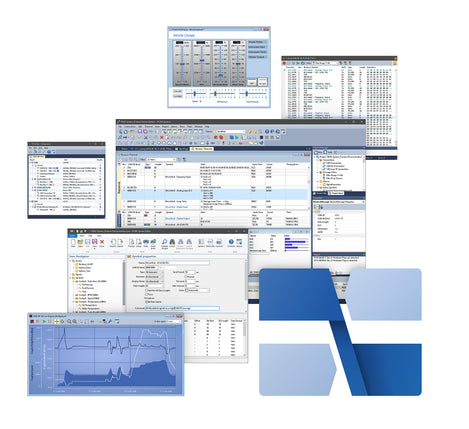
The PCAN-Explorer 6 is a professional CAN software program that operates in Windows® and enables simultaneous communication across multiple CAN and CAN FD busses.
With PCAN-Explorer 6, users can not only monitor CAN networks but also manually send messages and transmission lists for control and simulation purposes." This enhanced CAN software allows for connections between multiple CAN interfaces, independent of the Peak hardware interface used.
PCAN-Explorer 6 introduces a built-in trace function to record data traffic and playback existing traces, enhancing your ability to monitor CAN networks effectively.
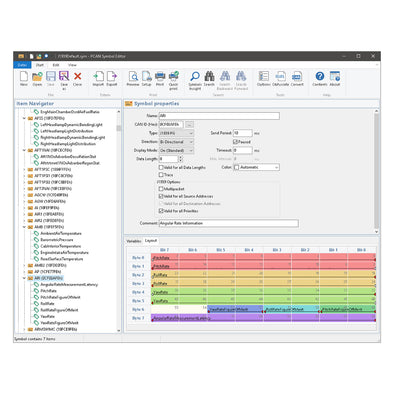
A key feature of PCAN-Explorer 6 is the symbolic representation of various CAN messages along with their payload. All hexadecimal information can be transformed into a readable, user-friendly format with the use of symbol files, simplifying the analysis within the CAN software.
Note that the automation of complex processes can be implemented using macros. The sophisticated implementation of VBScript accesses the extensive object model used in PCAN-Explorer 6.
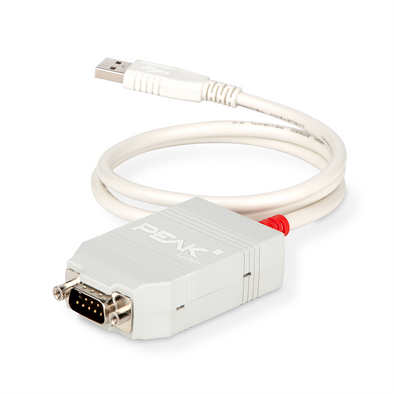
PCAN-Explorer 6 runs on Windows® 10, 8.1, 7 and supports all CAN adapter interfaces made by Peak System.
PCAN-Explorer 6 Add-ins:
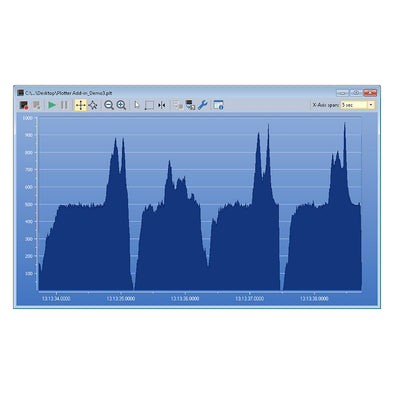
- The Plotter add-in for PCAN-Explorer 6 enables live recording and tracing of signal time courses, creating graphical representations
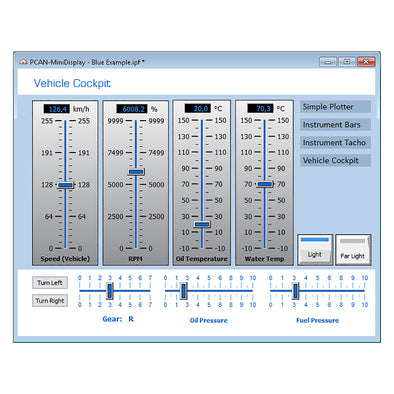
- The Instruments Panel add-in for PCAN-Explorer 6 allows for the creation of customized arrangements of controls, switches, and displays.
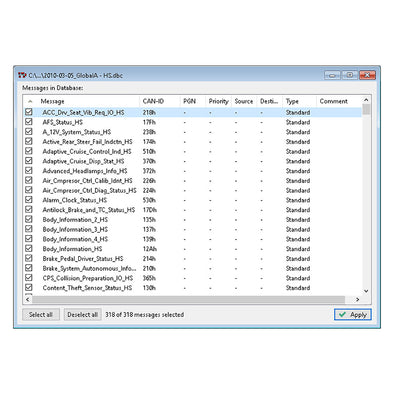
- The CANdb Import add-in allows PCAN-Explorer 6 to utilize the CANdb data description format for comprehensive CAN bus information management.
- The J1939 add-in for PCAN-Explorer 6 all definitions created by the standard's parameter groups, facilitating seamless communication.
Need help choosing a license type? Read our breakdown here.
Order Summary
SKU
|
Licenses
|
Delivery Method
|
Manufacturer Part # (MPN)
|
| GC-CAN-EXPL6 |
Single Computer License
Install, unlock, and use the software on a single computer exclusively. Provide recipient's email address in Comment Section located on the Cart page.
|
Download Emailed
Next Day |
IPES-006000 |
| GC-CAN-EXPL6-PORT |
Portable Shared License
Install on several computers; to unlock and use the software, you must plug the included USB copy protection dongle into a free USB port. |
Ships same or next business day |
IPES-006000 + IPES-006090 |
- Management of all settings, information, and files in projects
- Exporting entire projects including linked files to handy packets for archiving or sharing
- Extensive revision of the user interface with improved dialogs for creating transmit messages and managing signals
- Automatic notification about new software versions and support with the update process
- Integrated text editor with syntax highlighting for creating and editing of symbol files, macros and VBScript
- Integration of add-ins to upgrade functionality
Connection to CAN and CAN FD
- Simultaneous connections with multiple CAN interfaces independent of the hardware type
- Support for CAN specifications 2.0 A/B and FD
- CAN bit rates (nominal) up to 1 Mbit/s
- Data bit rates up to 12 Mbit/s (only when using a CAN FD interface)
- Optional use of custom bit rates
- Listen-only mode can be activated
- Clear overview of connections with their bit rate, status, error counter, and bus load
- Function to execute a hardware reset of the CAN controller
Transmission and Reception
- Representation of the CAN data traffic in sortable receive and transmit lists with configurable columns display
- Messages can be grouped as transmit lists, stored and loaded as desired, e.g. you can create a CAN node "emulator"
- Display of messages showing the ID, length, data bytes, time-outs, number of messages received, and receiving interval
- Display of error frames can be activated for each connection
- Representation of CAN IDs in hexadecimal or decimal format
- Display of receive, transmit, and error states
- Message reception with a maximum resolution of 100 µs
- Manual and periodic transmission of messages with a maximum resolution of 1 ms
- Transmission of CAN messages in response to remote frames (only with CAN 2.0 A/B)
- Multiple flexible filters can be configured and, for example, assigned to the transmit/receive window or to various different tracers
Recording and Playback
- Logging of the CAN data traffic along with the errors that have occurred as an option
- Playback of trace files with optional loop function
- Operation of multiple tracers at the same time
- Representation of the logged messages with details such as time stamp, type, ID, length, and data bytes
- Representation of the data bytes in hexadecimal, decimal, or ASCII format
- Filtering of the messages for logging through message filters
- Recording of CAN data traffic directly to files or to the RAM (in linear, dynamic, or circular buffer mode)
- Playback of logged CAN messages directly from files or the buffer
- Storing of the logged data to readable text files or CSV files for further processing in Excel or similar
- Enhanced processing of huge trace files compared to PCAN-Explorer version 5
- Subsequent examination of the logged data in the buffer via different symbol files
Symbolic Representation
- Clear and readable representation of CAN messages based on the symbol format from PEAK-System:
- * Easy allocation of CAN messages by assigning alphanumeric names
- * Bit-exact division of the data into variables for assigning names, data type, etc.
- Easy symbol file creation with the supplied Windows® software PCAN-Symbol Editor or with the integrated text editor
- User-friendly real-time monitoring of several signals via the Watch window
- Graphical display of up to 4 signals with a simple line writer (Line Writer Add-in)
Automation with Macros and VBScript
- Automation of small tasks or complex processes with macros or VBScript for example:
- * Test procedures for the implementation or development of CAN systems
- * Send an e-mail if a temperature is exceeded
- * Start an action when a particular message is received
- * Open an Excel sheet when an event occurs and save the data in individual cells
- * Calculate variables from the data of incoming CAN messages
- Creation of macros and scripts with the integrated text editor
- Assignment of function keys to individual macros
- Access with VBScript to almost all program elements via the PCAN-Explorer object model
- VBScript macros also run in the background even without the PCAN-Explorer interface
System Requirements
- Windows® 10, 8.1, 7 (32/64-bit)
- At least 2 GB RAM and 1.5 GHz CPU
- For the CAN bus connection: PC CAN interface from PEAK-System
- Free USB port for copy protection dongle (only for portable license)